
A Day in the Life of a ReHub Listing Workflow
Follow one instruction from morning shoot to evening go-live — photos, HDR, declutter, staging, twilight, video, tour and Showcase — inside a connected ReHub Studio workflow.
Key Takeaways
- The fastest listing days remove tool-switching, not creative judgement.
- Edit and declutter before you animate, stage or publish.
- Channel outputs (portal, social, microsite) should come from one master asset set.
- Shared credits and one brand kit keep multi-app production coherent.
- A written sequence beats heroic last-minute improvisation.
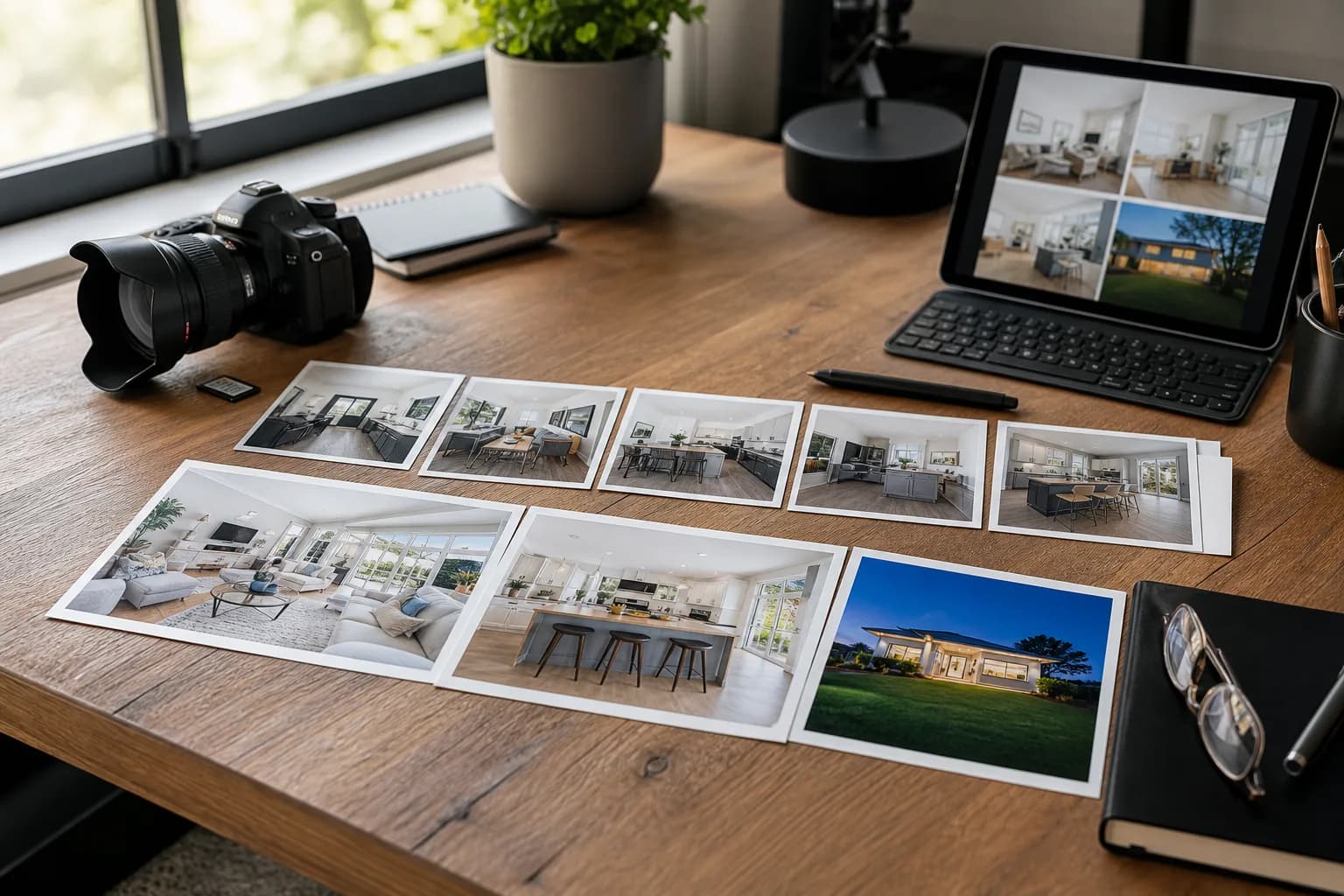
Most listing delays are not creative. They are logistical: different logins, export folders, “who has the final JPEGs?”, and a second upload into yet another app for video. This day-in-the-life walkthrough shows how a connected ReHub Studio sequence collapses that friction into one coherent working day. For the full eight-stage framework, see the complete property marketing workflow.
It is a model day for a typical mid-market instruction — vacant enough to stage one room, photogenic enough for twilight, important enough for a microsite. Adjust timings for your branch; keep the order.
08:30 — Arrive and capture
Photographer brief already includes:
- Hero exterior candidates for the first image
- Principal rooms in a walkthrough order useful later for video
- Notes on clutter that cannot be moved
- Optional 360 tour capture if booked
Shoot for usability, not only art: level frames, windows balanced, exteriors with clean foregrounds.
10:30 — Select and enhance
Back at the desk (or in the car with a laptop):
- Cull to the portal set plus social extras.
- Run HDR Photo / PhotoEdit for exposure, colour and geometry.
- Mark images that need decluttering or staging.
This is the foundation layer. Everything downstream inherits these plates.
11:30 — Declutter the messy truths
Occupied kitchens, probate hallways and bin-spoiled exteriors go through PhotoClear. Keep ethics tight — temporary mess out, building truth in — as covered in virtual decluttering for probate and occupied homes.
12:30 — Stage the empty living room
If the reception is void, Virtual Staging furnishes a buyer-friendly version. Disclose it. File the before/after for appraisals. ROI thinking from AI virtual staging for UK agents still applies even on a rush day: stage where emptiness hurts, not everywhere.
13:30 — Twilight the exterior
A daytime facade that needs evening drama goes through HyperDusk. Useful for premium presentation decks and social. Keep a natural daylight hero for portal image one unless twilight truly outperforms in your market — see AI vs real twilight.
14:30 — Build motion and plan
- Generate a 20-second and 50-second cut in ImageMotion
- Produce a clean plan via Sketchplan if the measured survey is not ready
- Queue a Planos interactive plan for higher-value stock when warranted
Because assets already live in the ecosystem, you are not re-uploading a Dropbox scramble.
15:30 — Tour and presentation layer
If 360 capture happened on site, publish via 360 Tours. Then assemble the public-facing story in Showcase: gallery, plan, video, brochure PDF and enquiry CTA. This is the page you will QR and share with vendors — the logic behind microsites vs portals.
16:30 — Portal upload and QA
Upload order:
- Daylight hero as image one
- Best interiors (staged frames labelled)
- Floor plan early in the set
- Supporting exteriors / twilight deeper if used
- Description with disclosure lines as needed
Phone-check the live thumbnail. Play the video. Click the Showcase link. Fix anything that fails the three-second test before you message the vendor.
17:30 — Social and vendor update
- Post the short reel with a clean caption
- Send the vendor the Showcase link and portal URL
- Drop assets into CRM / applicant matching templates
- Note any follow-ups (measured plan, extra twilight, paid boost)
The instruction is now live as a package, not a lonely photo set.
Why the connected part matters
You could recreate this day with separate subscriptions. Teams try — then lose an hour to exports, another to logins, another to “which folder is final_final_v3”. The connected ReHub ecosystem is valuable because the sequence stays in motion:
- One login
- Shared credits across tools
- Shared brand kit on presentational outputs
- Less context-switching for whoever is producing media that day
That is also the commercial argument in one marketing platform vs tool sprawl.
Roles: who does what
Photographer / media tech: capture, select, enhance, declutter, stage, twilight, video.
Negotiator: approvals, disclosure wording, vendor communication, pricing strategy.
Marketing / admin: portal fields, Showcase publish, social scheduling, CRM.
On smaller branches one person may wear several hats. The workflow still holds — the checklist matters more than the org chart.
A laminated checklist for the office
Morning
- Shot list and hero candidates
- Clutter / staging notes
Midday
- Edit + HDR
- PhotoClear pass
- Staging + disclosure
- HyperDusk if needed
Afternoon
- ImageMotion cuts
- Plan
- Tour / Showcase
- Portal QA on mobile
- Vendor update sent
When the day runs longer
Complex homes, legal photo restrictions, slow approvals or multi-plot developments will spill into day two. Launch the core package first; upgrade plans, tours and development storytelling as modules. Waiting for perfection on every layer is how listings miss the weekend search traffic.
Quality gates before anything goes live
Speed without QA creates expensive rework. Before the vendor message goes out, run this three-minute mobile check:
- Thumbnail test — squint at image one on a phone screen. Can you read the house? Is the sky blown out?
- Disclosure scan — every staged or twilight frame labelled? Description mentions digital enhancement where required?
- Link test — Showcase URL, tour link and video embed all load on 4G, not just office Wi-Fi.
- Plan legibility — room labels readable without zooming?
- Brand consistency — end cards, brochure and microsite match branch colours?
Assign one named approver per listing — usually the negotiator, with marketing as backup. “Someone will check it” means nobody checks it.
If anything fails, fix before publish. A live listing with a broken Showcase link is worse than a two-hour delay.
Scaling the workflow across multiple branches
A workflow that works in one office dies in ten without documentation. Standardise:
- Shot list template — same room order for video and stills
- Credit budget per package tier — Essential, Enhanced, Premium mapped to tool usage
- Turnaround SLAs — e.g. same-day for standard stock, 48 hours for premium
- Shared example library — before/afters, staged rooms, video samples on a shared drive
- Monthly 20-minute huddle — what slowed listings this month? Tool gap or process gap?
Central marketing teams can produce for branches; alternatively, train one “media champion” per office who owns the ReHub sequence. Either model works — mixing them without clarity does not.
Use hub.rehub.studio reporting (or your internal tracker) to compare credits consumed vs listings launched. Branches that spend credits inconsistently often have training gaps, not motivation gaps.
What to defer without guilt
Not every instruction needs every tool on day one. A sensible deferral list:
| Asset | Defer when… |
|---|---|
| Measured floor plan | Sketch plan is live; survey booked |
| 360 tour | Gallery + plan answer layout questions |
| Interactive Planos | Static plan sufficient for price band |
| Premium PDF brochure | Microsite live; print run pending vendor sign-off |
| Real twilight | AI dusk delivered; vendor happy with presentation |
Communicate deferrals to the vendor as a phased launch, not an apology. “Live today with photos, plan and video; tour publishes Thursday” beats silence until everything is perfect.
Bottom line
A day-in-the-life ReHub workflow is not about rushing craft. It is about removing avoidable handoffs so craft can finish before the market moves on. Shoot once, enhance once, create every channel output from the same master set, and publish while the instruction still feels fresh — to buyers and to the vendor who just instructed you.
Frequently Asked Questions

The ReHub Studio Team
Property Marketing Experts
The ReHub Studio team builds AI-powered tools that help estate agents, photographers and developers create better property marketing, faster.
Ready to improve your property marketing?
Enhance photos, remove clutter, stage rooms, produce floor plans, create video and publish listings from one ReHub account.
Related Articles

Shared Credits and One Platform vs Tool Sprawl
Separate apps for editing, staging, video and tours create login fatigue and stacked bills. Here is how shared credits on one platform change the maths for property businesses.
How AI Is Transforming Estate Agency Marketing
Artificial intelligence is reshaping how estate agents produce listing media, write copy and win instructions. Here is what is changing and how to use it.
AI Photo Editing for Real Estate Photography
AI photo editing automates the most time-consuming parts of real estate post-production. Here is what it can do, where it excels and its limits.